Build the Pyramid! Beginner Guide — Your First Session
A complete first-session route for Build the Pyramid!: pick up blocks, carry them to the pyramid, train speed and strength, and redeem codes. Checked September 2026.
Build the Pyramid! drops you into a desert with one instruction — carry blocks to the pyramid — and a server full of people doing the same. This guide walks your first hour: what to do first, which free boosts to claim, and how to train so every trip counts. Everything here comes from the official game description and dated sources listed on our about page.
What is Build the Pyramid!?
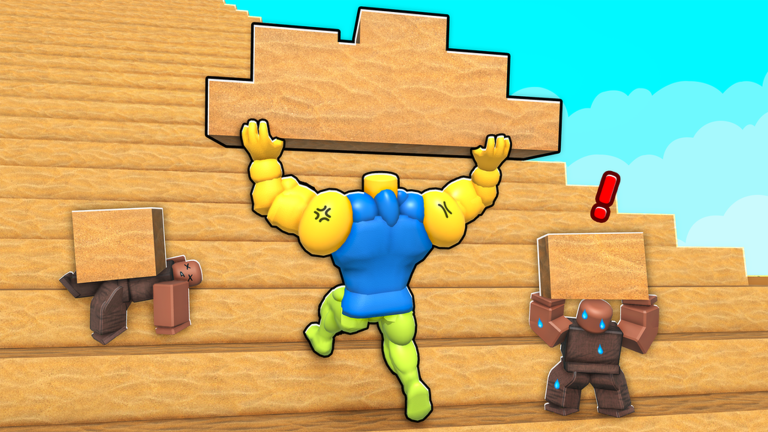
It is a free co-op building simulator on Roblox by Janitors Studios, released on 3 September 2026. Every server holds up to 50 players, and everyone works on the same pyramid: you pick up blocks, carry them to the build site, and the pyramid grows block by block. Training raises your Speed and Strength, and completing pyramids makes your character stronger for the next one. The game plays on desktop, console, mobile and tablet. For a deeper overview, see what is Build the Pyramid!?
Step 1 — redeem the codes before anything else
Open the codes page and redeem WELCOME (500 Speed + 500 Strength), FREECODE (500 Coins) and the rest before you train. These boosts front-load hours of early grinding into ten seconds of copy-paste. The redemption flow is covered step by step in how to redeem codes — the short version: open the Codes panel, paste the code exactly, confirm, and watch your stats move.
Step 2 — carry your first block
The core loop is deliberately simple:
- Walk to a block and pick it up.
- Carry it to the pyramid. Your character visibly struggles with heavy loads — that is your Strength limit showing.
- Place it. The pyramid grows; the server’s shared counter moves.
Do not overthink route choice in your first session. Follow other players, learn where blocks spawn and where the build site accepts them, and let the boosted Speed from codes do the work.
Step 3 — train at the gym
Training is the progression engine. Speed makes each round trip faster; Strength raises how much you can carry per trip, which is the real multiplier on blocks-per-minute. If you have ever wondered which stat to prioritize, the short answer is: train whichever the gym lets you, alternate both, and lean on Strength once carrying feels slow. The full breakdown lives in the training guide.
Step 4 — finish your first pyramid
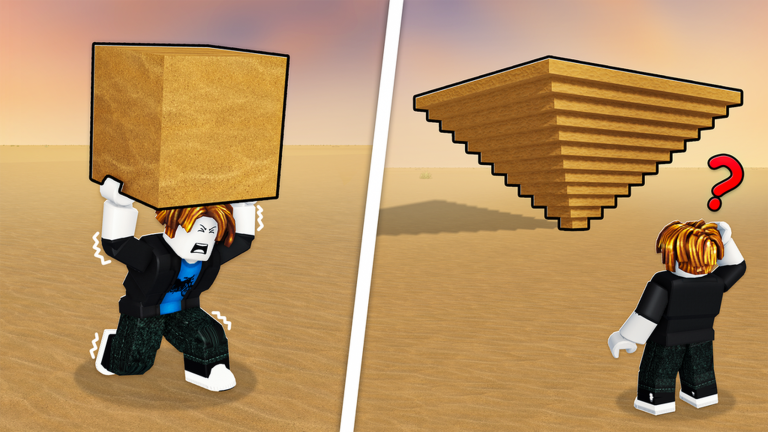
The pyramid finishes when the server fills it — you will see the moment coming as fewer empty slots remain. Completing a pyramid makes your character stronger for the next one, which is the game’s way of resetting the loop with a buffed you. The details of those rewards, and what is still being verified about them, are collected in pyramid completion rewards.
Step 5 — settle into the rhythm
After the first pyramid, the loop repeats with a stronger character: carry, train, complete, repeat. A few habits pay off from day one — redeem codes after every game update (the studio has tied codes to patches), train in short focused bursts between carry runs, and remember the whole server wins together. If you want the co-op etiquette and what “work together” means in practice, that is covered in how co-op building works.
Common first-session mistakes
Ignoring codes. The single biggest waste — free 500/500 stats sit unclaimed while players grind the gym by hand.
Only training Speed. Fast trips with a light load move fewer blocks than slightly slower trips with a heavy load. Balance the two.
Treating it as a solo game. Everyone stacks onto one pyramid. Blocking others or racing for placements slows the whole server’s progress — and yours.
Where to go next
Once the loop clicks: the coins guide covers earning and spending, the upgrades overview explains what purchases change, and playing on console and mobile has the platform-specific notes. Every page on this wiki carries a last-checked date — this one was checked against the official game page on 28 September 2026.
Related Articles
building
How to Build the Pyramid in Build the Pyramid!
How building works in Build the Pyramid!: where blocks spawn, how carrying works, placement on the shared pyramid, and how a server of 50 finishes a build together.
codes
How to Redeem Codes in Build the Pyramid!
Where the Codes panel is in Build the Pyramid!, how to type codes correctly, and the three reasons a valid code can still fail. Checked September 2026.
guides
Build the Pyramid! on Console, Mobile and Tablet
Build the Pyramid! plays on desktop, console, mobile and tablet — what carries across, what to expect per device, and cross-platform notes. Checked September 2026.
Was this helpful?
Thanks for the feedback!